Skip to content

COCRM / MODULES

Your iGaming operation in one panel.

Players, communication, risk, finance, affiliate and marketing in one place. BrainOS analyzes and recommends; you approve.

See Smart Widget
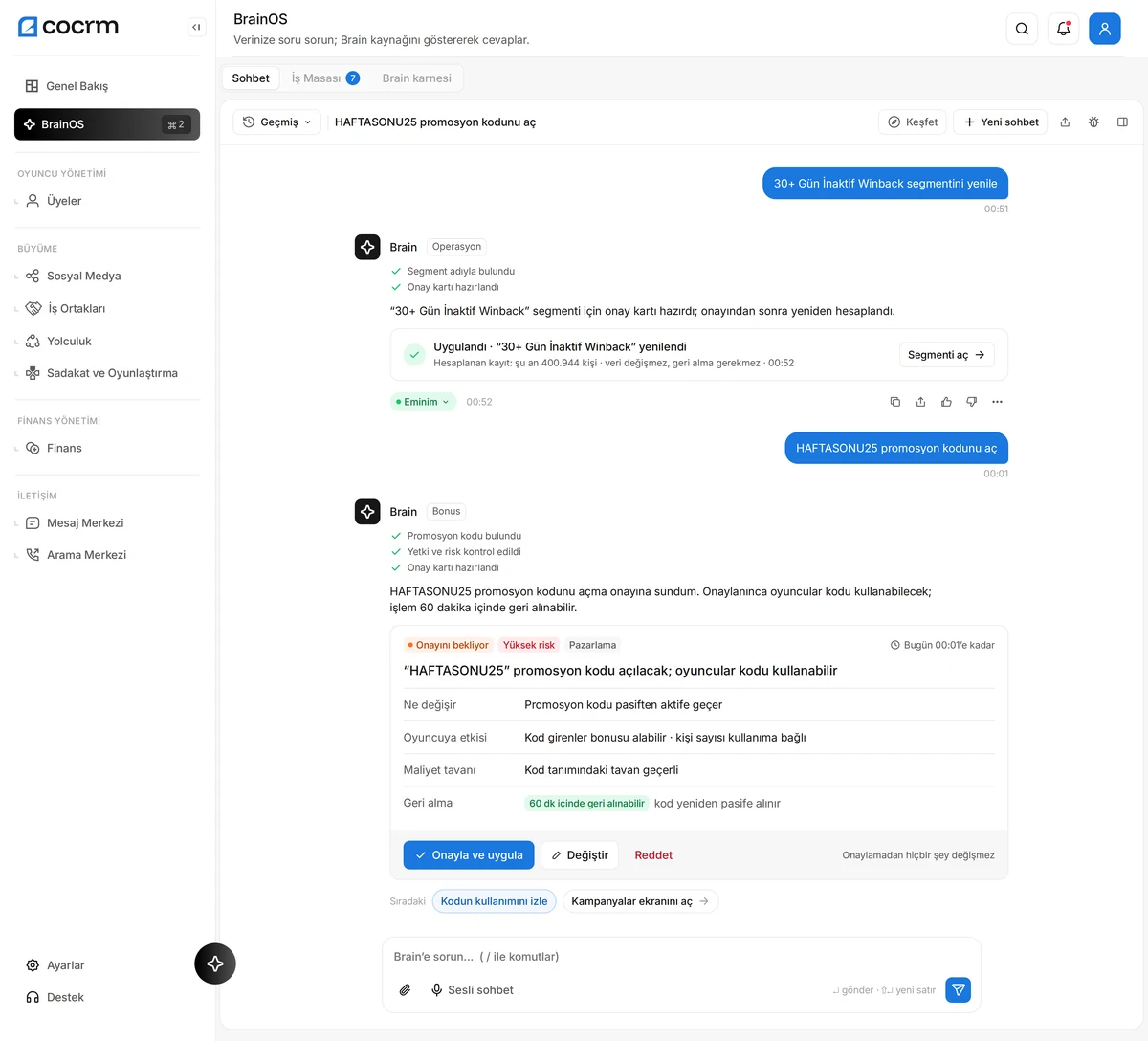
A BrainOS approval card: Brain proposes opening a promo code with the reason, the player impact, the cost cap and the undo window; nothing changes until you approve.
BrainOS approval card · Sample data · Shown in Turkish

01 / TWO FLAGSHIP PRODUCTS

Atlas on the player side, BrainOS on the operations side.

Early access · Professional & Enterprise

Smart Widget

Support that works 24/7 on your players’ site and looks at their own account.

  • Answers from the player’s real account
  • Solves deposit and bonus questions on its own
  • Hands over to live support when a person is needed
  • Lives on your site, in your brand
Explore Smart Widget
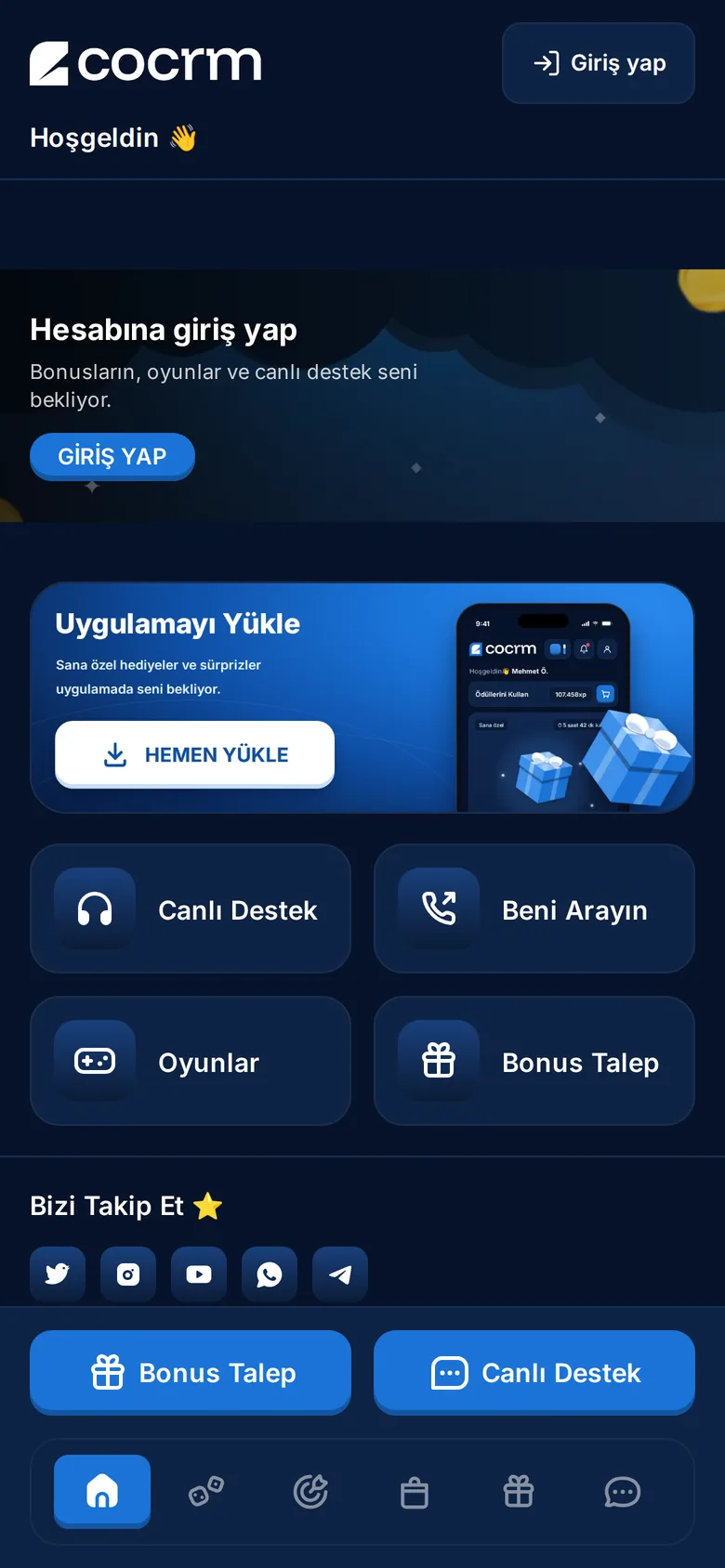
Smart Widget home screen on a phone with Live Support, Call Me, Games and Bonus Request shortcuts.
Shown in Turkish

Early access · Enterprise

BrainOS

The AI that watches your operation and tells you what to do.

  • Ask a question, get an answer with charts
  • Actions arrive as approval cards
  • Every step is logged
Explore BrainOS
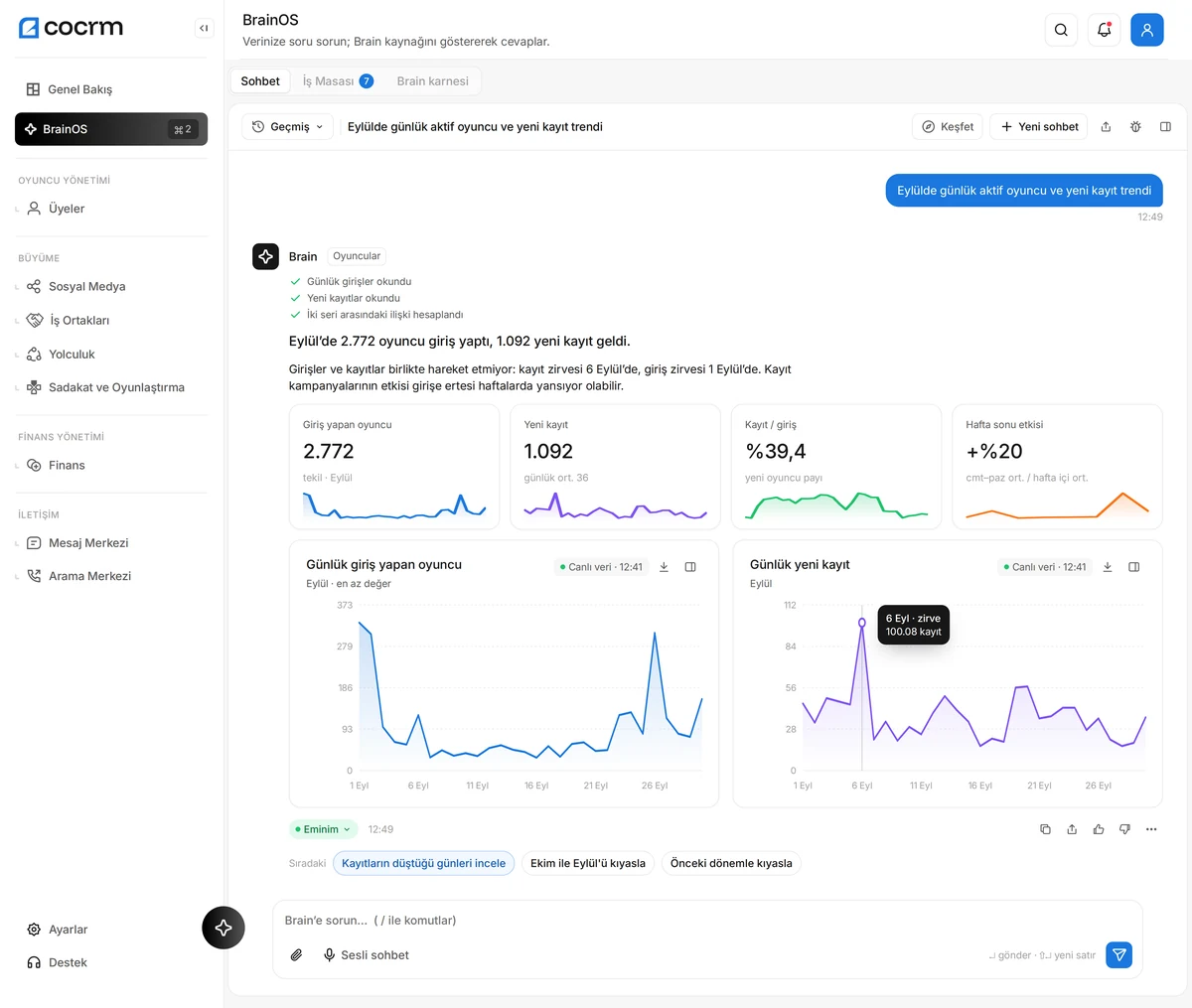
A BrainOS chat: asked for the September trend of daily active players and new signups, Brain answers with two charts and a short summary.
Sample data · Shown in Turkish

02 / SYSTEMS

What is in the panel?

The six areas of daily operations, in one panel.

Players

Profile, activity, VIP and notes in a single view.

  • Player profile and activity
  • VIP view
  • Notes
  • Timeline
Details

Communication

Live support, team chat, knowledge base and every messaging channel in one hub.

  • Live support and Team Chat
  • Knowledge Base and Call Center panel
  • WhatsApp, Telegram, email, SMS
  • Social DM and voice messages
Details

Risk & Fraud

Suspicious behavior and bonus abuse show up early.

  • Risk engine
  • Fraud pool
  • Multi-account detection
  • Device and geo signals
Details

Finance

Deposit and withdrawal flow under control.

  • Deposit visibility
  • Withdrawal visibility
  • Reporting
Details

Affiliate

Partner performance, commission and BTag tracking.

  • Partner management
  • Commission tracking
  • BTag tracking
  • Partner performance
Details
Journey · Professional plan

Marketing, Social Media & Journey

Campaigns, social media management and automated player journeys.

  • Segment and campaign setup
  • Social accounts, post calendar and approval flow
  • Journey: automation flows and AI decision node
  • Channel consent, goal event and control group
Details

Who is it for?

  • CRM teamRun segments and campaign flows from a single screen.
  • Risk teamSpot suspicious behavior early and make the call yourself.
  • Affiliate teamTrack partner performance and commissions in one place.
  • Operations teamRun player, finance and communication work from one panel.

03 / HOW BRAINOS WORKS

Three steps, always with your approval.

  1. It observes.

    Watches the data and spots changes and opportunities.

  2. It recommends.

    Prepares an action card with its reasoning.

  3. You approve.

    Nothing is applied without your approval; the result is measured and logged.

Specialist analyses that run overnight (risk, revenue, player retention, finance and more) feed these recommendations.

04 / YOU STAY IN CONTROL

AI recommends. You decide.

  • Every action approved

    Nothing changes without an approval card.

  • Role-based permissions

    Who sees what and who approves what follows your panel roles.

  • Audit trail

    Every suggestion, decision and result is logged.

  • Masking and separate data

    Personal data is masked; each operator has separate data and its own Brain.